


There are a number of AI-generated components that might seem refined on their own but fail to gel together. Relationships among objects, space, lighting, scale, and viewpoint are essential for a believable composition. There should be a clear place for each element in the shared environmental logic. It’s important for products, characters, props, architecture, and visual storytelling. The scene-level organization enables creators to plan environments that are connected rather than gathering unassociated generated assets. A connected scene thus needs spatial considerations, as well as appealing elements.
- What Makes a Shared Scene Feel Coherent
Objects have consistent spatial logic, providing each with a credible relationship with the surrounding objects. The chair should sit comfortably on the floor next to appropriate furniture. The lamp should be in a realistic position with respect to that furniture. Relative scale is important because objects have to be proportionate in the same space. Visual hierarchy dictates the order in which elements are noticed. A good composition often has a single focus and contextual elements. Elements of distance, alignment, contrast, and negative space can enhance hierarchy without sacrificing helpful detail.
- Potential Approaches to Multi-Object Scene Construction
A world-focused workflow helps to direct the focus from individual assets to connected spatial systems. While an AI video generator can produce moving images, spatial planning requires planning. Foreground, middle ground, background, and significant distances between items are defined by layout-based thinking. Shared coordinate logic enables all elements to have a shared spatial reference within the environment. Rather than working with objects individually, creators can define relationships between subjects, props, surfaces, and surroundings. A simple way to anchor new environments in known visual information is also through reference-guided generation. This type of organization helps to create a better composition before beginning detailed rendering or final video work.
- Spatial Scene Construction and Reference-Guided Planning
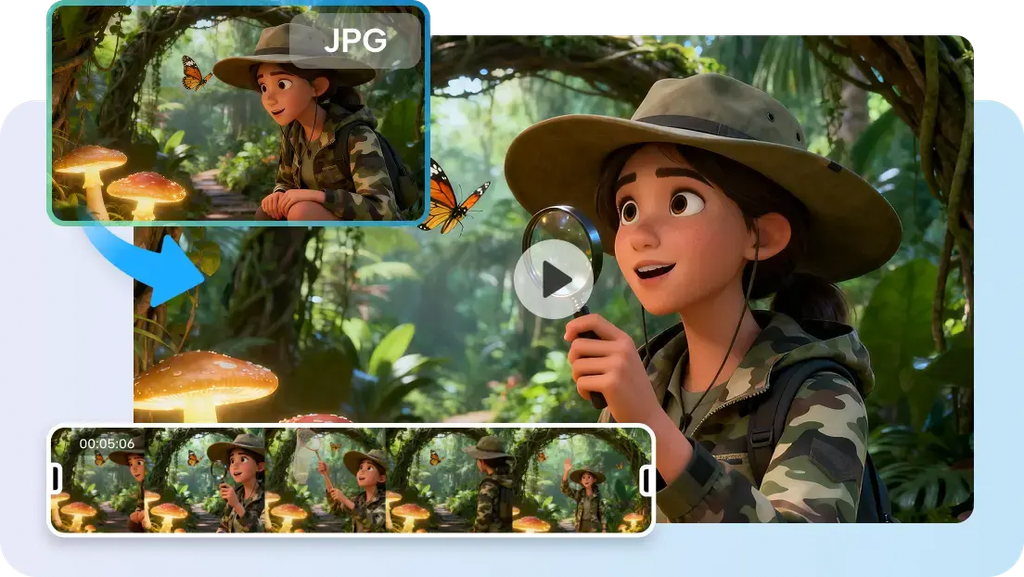
Seeworld is ByteDance’s much-anticipated 3D world model, which is targeting connected environments and multiple viewpoints. According to public descriptions, the perspectives, meshes, layout control, and reference-guided generation are all game-like features. The model has not been released to the public, so capabilities may be subject to change. It is proposed to use its workflow around the understanding of objects as part of one navigable space. The layout controls may be useful for intentional placement of characters, objects, and environment. Multiple viewpoints are important because the arrangements should have significance in more than one camera angle. This is an alternative to workflows that focus solely on generating a single image or asset.
- The Creative Decisions Behind Object Placement
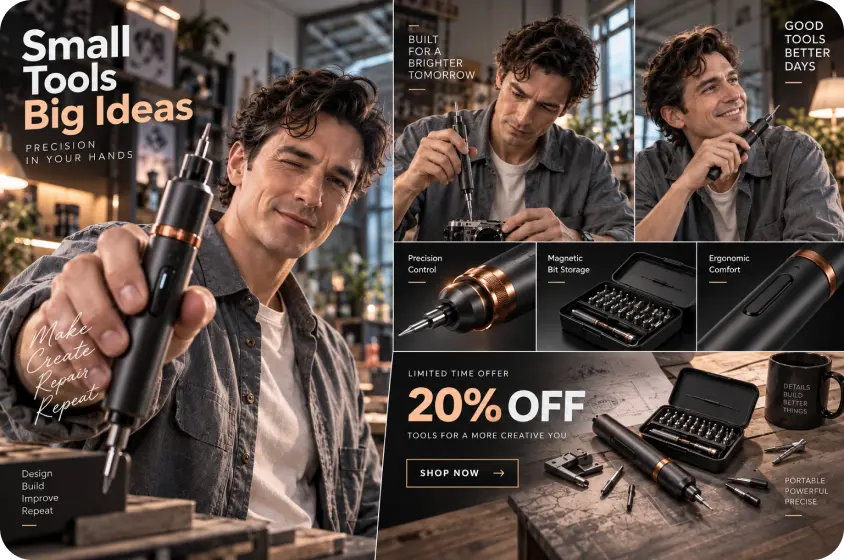
First, choose the object that will be the focus of the composition and create a visual center for that object. The secondary objects should be in support of that anchor but not in competition for immediate attention. Background options should support subjects using appropriate architecture, surfaces, lights, or environmental context. Think about what should be seen first, then place other objects around that in the vicinity. The concept of depth can be achieved by props in the foreground, by the central subject, and by environmental structures in the background. Planning can be done with Pippit using Creative Canvas, giving roles to scenes, characters, images, and audio. Recurring characters or objects should have a consistent relationship between sequences when using the same terms.
- Six Spatial Rules for Managing Multiple Objects
Follow these six rules when placing more than one element in visual environments:
- Anchor object: Identify a single main object that will create the visual center of the scene.
- Supporting objects: Place secondary elements around the anchor but don’t compete with the anchor.
- Depth order: Place objects in the foreground, in the middle ground, and in the background.
- Scale hierarchy: Relate size to distance, importance, or physical proportion.
- Occlusion control: Do not have overlapping objects that obscure important objects or that create confusion about the spatial relationships.
- Viewpoint testing: Check set-ups from various angles prior to imagery.
These rules act in combination, as placement, scale, visibility, and viewpoint affect spatial understanding. You may want to test some angles to find overlaps or proportions that you wouldn’t see from the camera’s starting point.
- Steps to See How Seeworld Places Multiple Objects Within a Shared Scene
Step 1: Plan a Shared Spatial Environment
- Sign up using Google, TikTok, or Facebook account information to access the available creative workspace.
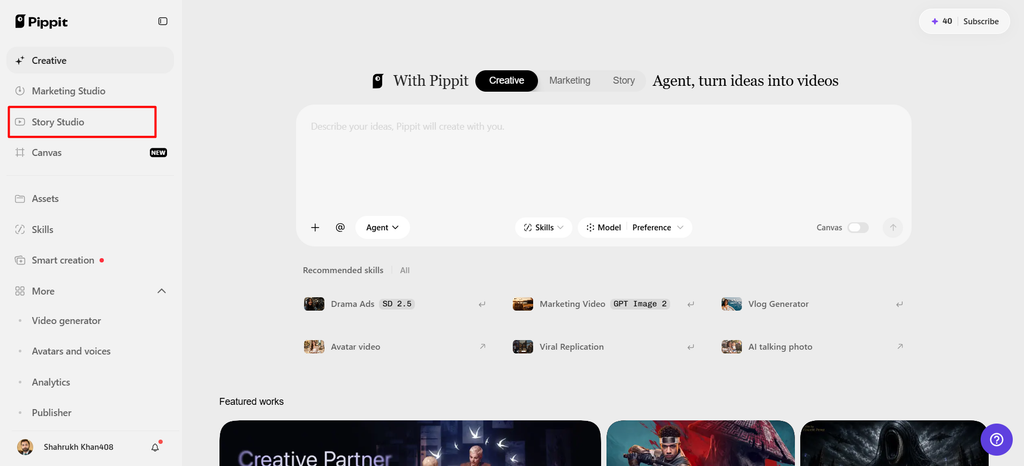
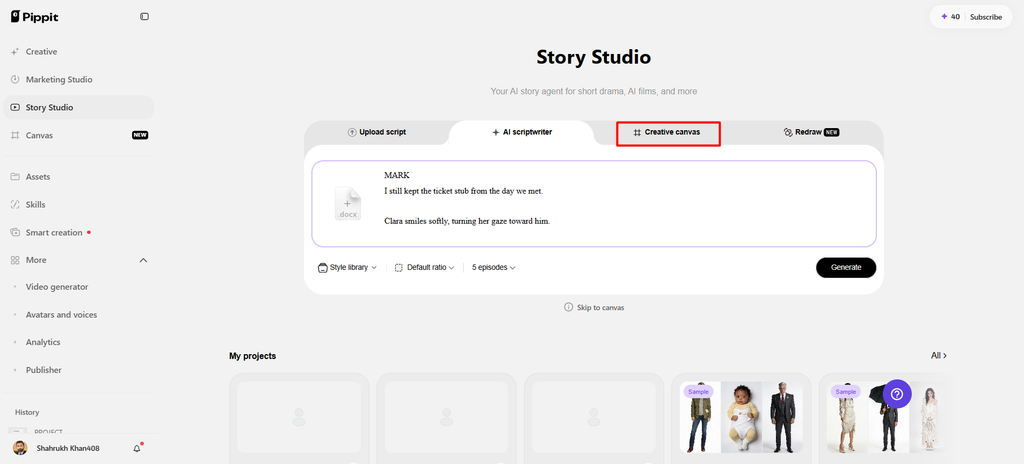
- Navigate through the left vertical menu bar and select the “Story Studio” tab first.
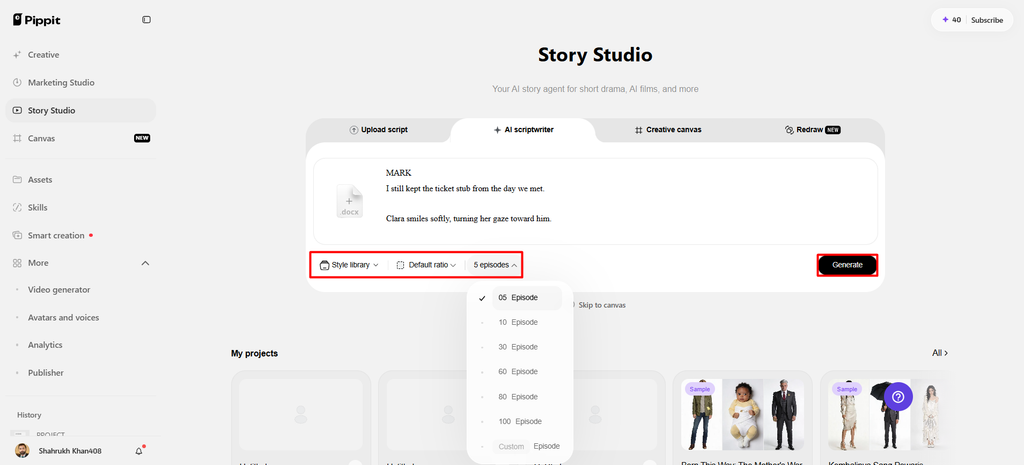
- Upload your script through the “Upload script” tab or paste text using “Paste script” directly.
- Use the “AI scriptwriter” from the top menu to develop scripts around shared spatial scenes.
- Choose a visual direction through “Style library”, helping establish consistent styling across objects and environments.
- Open the “Default ratio” option to choose your preferred aspect ratio before developing each sequence.
- Use the “Episodes” tab when dividing your concept into connected sequences for broader spatial planning.
- Finally, select “Generate” to let AI develop your initial script and organize the planned scenes.
Step 2: Arrange Multiple Objects Within Scenes
- Add images, scene video, audio, and characters with roles through “Creative Canvas” for complete control.
- Write prompts describing character look, setting, lighting, camera angle, style, voice tone, and object relationships.
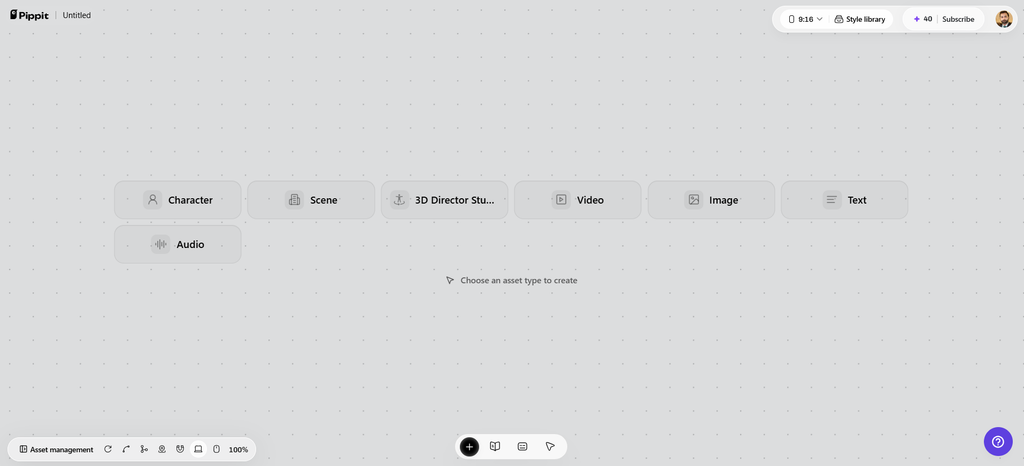
- Include story mood and product context alongside those spatial details to guide each generated scene.
- After assigning roles, generating characters, and scenes, select “Batch generate” to generate episodes together efficiently.
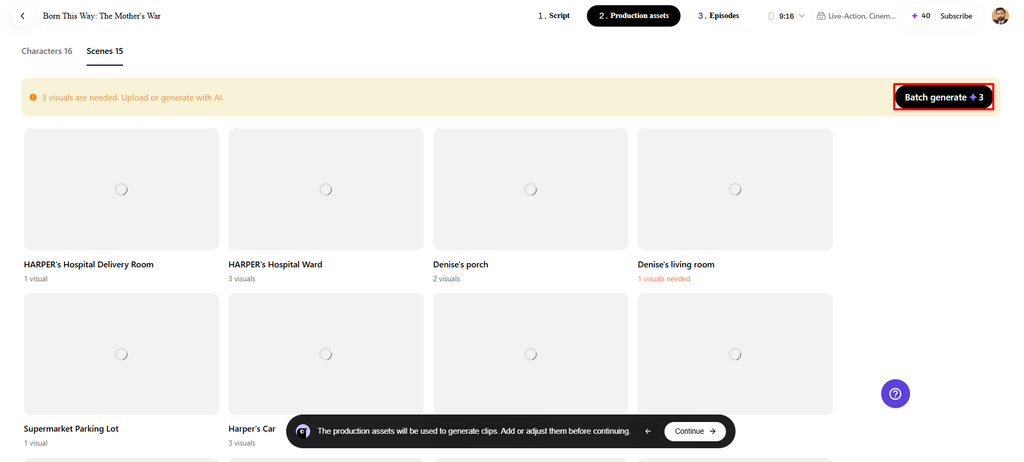
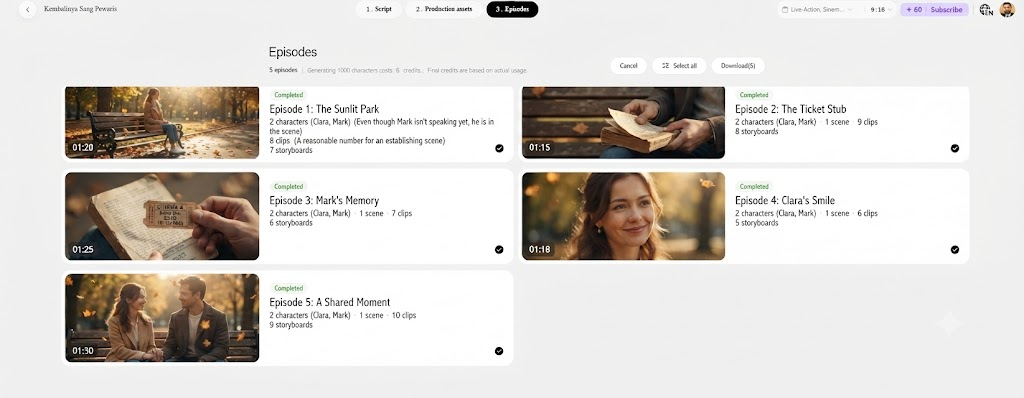
Step 3: Review Shared Scene Composition
- Review and edit characters, roles, scenes, and audio carefully to refine each episode before finalizing.
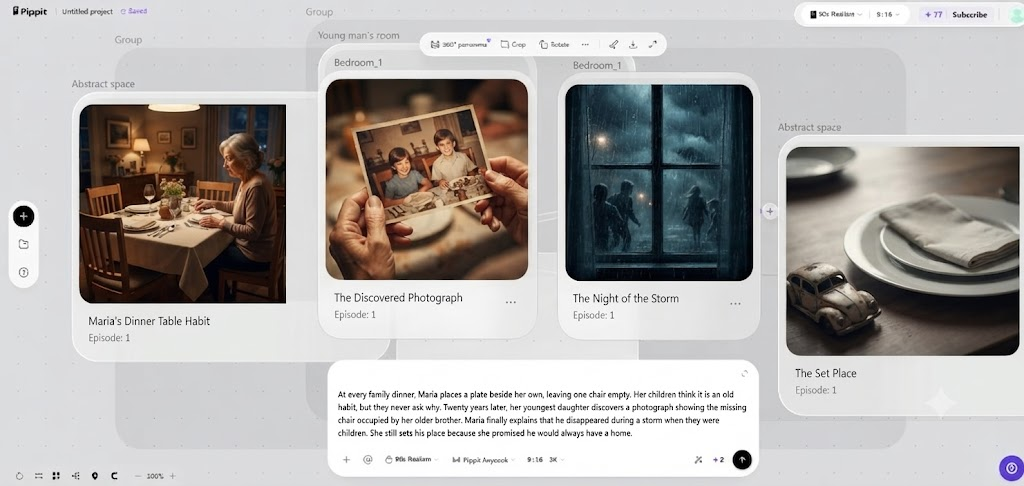
- When satisfied, click “Select all”, then choose “Download” to bulk download episodes directly onto your device.
- Turning Object Placement Into Camera Direction
Camera direction starts with the desired look-through direction to the environment. Good relationships in a scene can be obscured by an inappropriate camera position. This can be achieved by moving around the set-up to find more angles, better silhouettes, and helpful depth. The height of the camera affects the sense of scale, and distance helps determine the prominence of the subject and the context of the environment. The wide shots create a relationship, and the closer shots highlight certain details. Camera movement is another dimension, which shows the relationship between objects through a sequence. Testing the movement paths also uncovers whether key topics are obscured or seem isolated.
- Practical Creative Applications for Multi-Object Spatial Planning
Product scenes can include a main product, surface, props, light, and environment. Supporting elements that don’t detract from the product visibility, but add a layer of context, can make advertising concepts stronger. In narrative scenes, there must be clear relationships between characters, props, architecture, and environmental details. Any character that is holding an object should be in a believable position in relation to other objects. Virtual and game-like environments require connected layouts that promote exploration and spatial understanding. Pippit can create such scenes by defining roles, using visual prompts, and planning episodes. This is the same for presentations, storyboards, promotional artwork, and reference images.
Conclusion
A coherent scene is unified in terms of scale, distance, depth, hierarchy, lighting, and camera position. Even attractive assets can’t create believable relationships between unrelated objects. In good planning, all objects are considered as part of a whole environmental system. Expected world-model workflows suggest AI systems that can grasp spaces, not stand-alone outputs. Pippit’s structured planning tools provide a practical method for planning relationships prior to production. The most successful compositions are those that are created first by designing the relationships, and then the individual assets.